Quick Conclusion
In 2026, knowing how to reveal an IP address—whether your own or a third party’s—remains a fundamental skill for network security, digital forensics, and SEO diagnostics. While public tools and command-line methods like ipconfig or Show Original in Gmail provide basic data, the real value lies in professional IP address analysis.
By uncovering an IP, you gain insights into geolocation, ISP details, and network types. However, professional-grade tasks require professional tools. To maintain true anonymity or simulate global users, leveraging high-quality okkproxy services—such as rotating residential or static ISP proxies—is the only way to navigate the web without leaving your own digital footprint.
1. Introduction: The Power of the Digital Fingerprint

In the hyper-connected era of 2026, your IP address is more than just a string of numbers; it is your digital passport. Whether you are an SEO expert trying to diagnose crawl issues, a cybersecurity enthusiast investigating a suspicious email, or a marketer needing to understand your audience, knowing how to reveal an IP address is a critical skill.
But what exactly happens when an IP is revealed? What can an IP address tell you, and more importantly, what are the ethical boundaries of detecting IP addresses? This guide explores the technical methodologies, the information revealed, and the professional solutions available via okkproxy to manage these digital footprints.
2. Step-by-Step: How to Reveal Your Own IP Address
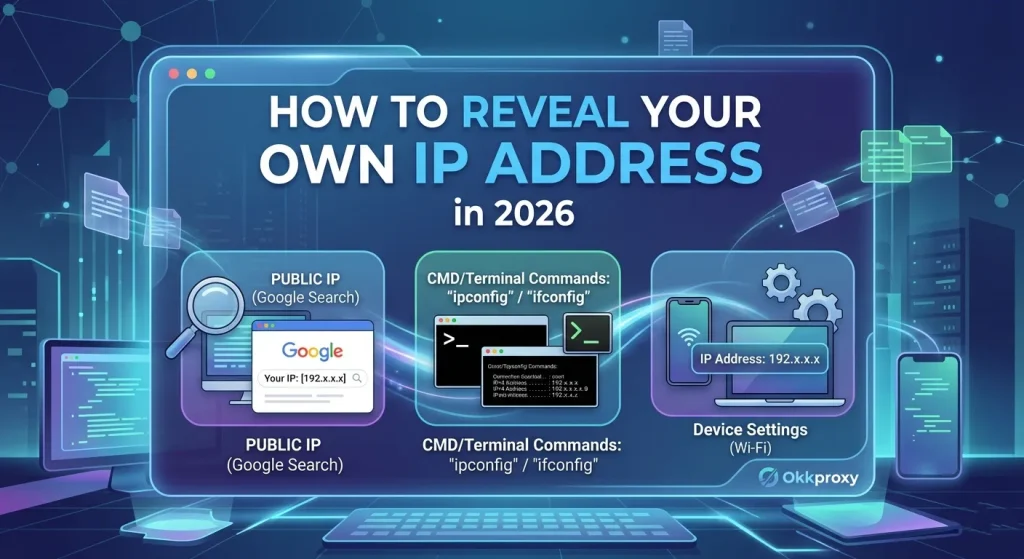
Before tracking others, you must understand your own footprint. There are two types of IPs you need to know: Public and Local.
Reveal Your Public IP (The World’s View)
Your public IP is what websites see when you visit them. To find it instantly:
- Search Engines: Simply type “What is my IP” into Google or Bing.
- Specialized Tools: Visit WhatIsMyIP.com for detailed metadata.
Reveal Your Local IP (Your Internal Network)
This is used for communicating between devices on your home or office Wi-Fi.
- Windows: Open Command Prompt and type ipconfig. Look for the IPv4 Address.
- macOS/Linux: Open Terminal and type ifconfig or ip addr.
- Mobile: Go to Settings > Wi-Fi > [Your Network Name] > Info.
3. Professional Methods: How to Reveal Someone Else’s IP Address
Revealing a third-party IP requires more technical finesse. Based on our years of experience at okkproxy helping clients secure their data, we’ve identified several primary legal methods for detecting IP addresses.
A. Extracting IP from Email Headers
While many modern providers mask the sender’s true IP, you can often find it in the “metadata” of the email.
- Gmail: Open the email, click the three dots (More), and select “Show Original.”
- Outlook: Open the message, go to File > Properties > Internet Headers.
- Search for: Look for the line X-Originating-IP or the first Received: from.
Expert Insight: In 2026, does Gmail reveal your IP address? Usually, it replaces your local IP with Google’s server IP. However, business-grade mail servers often still leak the originating IP.
B. Utilizing Website Server Logs
If you own a domain, every visitor leaves a trace. By checking your access logs (found in cPanel or your Nginx/Apache configuration), you can see the IP address of every user. This is vital for IP address analysis to filter out bot traffic and identify potential security threats.
C. The “Tracking Link” Method (IP Loggers)
Services like Grabify allow you to create a shortened link. When clicked, the service logs the visitor’s IP before redirecting them. This is frequently used by security professionals to verify the location of a suspected phisher.
D. Network Scanning for Professionals
To see all IPs on your local network, IT professionals use tools like Nmap or Angry IP Scanner. Running a command like arp -a in the terminal will also reveal the IP address of a router and other connected devices.
| Method | Ease of Use | Accuracy | Use Case |
| Email Headers | Medium | Moderate | Investigating Spam |
| Server Logs | High | High | SEO & Traffic Analysis |
| IP Loggers | Low | High | Cybersecurity Verification |
| Network Scanning | High | Absolute | Internal IT Management |
4. Deep Dive: What Can an IP Address Tell You?
One of the most common questions we get is: “What does my IP address reveal about me?” While an IP address doesn’t tell a stranger your social security number, it provides a surprising amount of information from IP addresses.
Geolocation: Does an IP Address Reveal Location?
Yes, but with caveats. Does your IP address reveal your location? It typically reveals your:
- Country, Region/State, and City.
- ZIP Code (Approximate).
- Latitude/Longitude (General area).
Crucial Note: Does an IP address reveal your exact location? No. It usually points to the nearest ISP exchange point, not your front door. For a street address, law enforcement needs a subpoena to the ISP.
Identity and Network Details
- Can IP address reveal identity or name? Generally, no. Only your ISP can link an IP to a name.
- Can IP address reveal search history? No. Your search history is stored by the search engine or in your browser.
- ISP Information: It reveals which company (Comcast, AT&T, etc.) provides your internet.
- Connection Type: Whether you are using a residential connection, a business line, or a proxy server.
5. Why You Need to Mask Your IP with okkproxy
If you are worried about what your IP address reveals about you, the most effective solution is a proxy. At okkproxy, we provide specialized tools to ensure your real identity is never revealed.
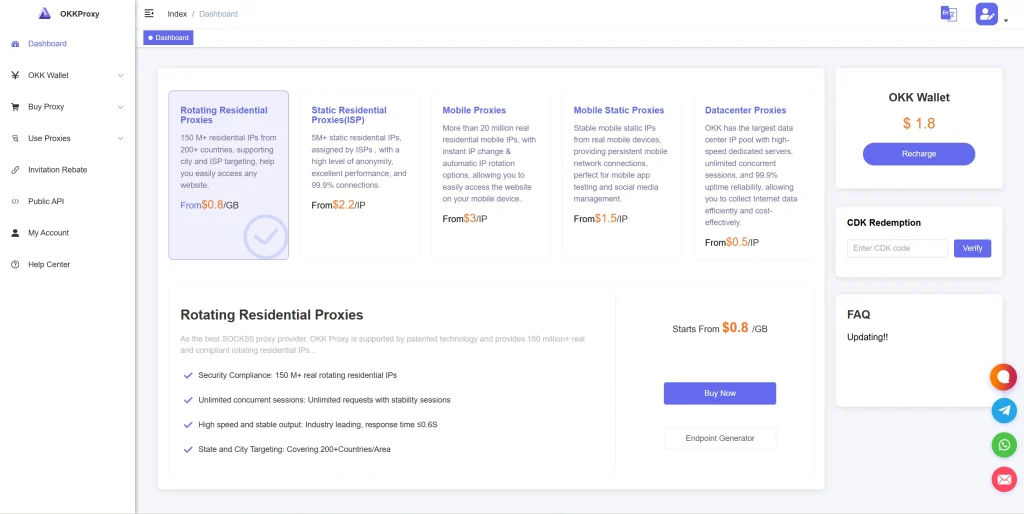
1. Rotating Residential Proxies
These are the gold standard for anonymity. They use real household IP addresses, making your traffic indistinguishable from a regular user. They are perfect for web scraping where you want to avoid detecting IP address systems. Learn more about rotating residential proxies.
2. Static ISP Proxies
Combining the speed of a data center with the legitimacy of a residential IP, static ISP proxies allow you to keep the same IP address for long-term sessions, such as managing social media accounts without being flagged.
3. Rotating Mobile Proxies
Mobile IPs are shared by thousands of users via cellular towers. This makes them nearly impossible to block or track back to a single person. They offer the highest level of trust for sensitive tasks.
4. Rotating Datacenter Proxies
For high-speed, high-volume tasks that don’t require residential-level trust, rotating datacenter proxies provide the best performance-to-cost ratio.
6. Case Study: Real-World IP Analysis and Protection
A mid-sized e-commerce client once approached okkproxy because their competitors were detecting IP addresses of their scraping bots and feeding them fake pricing data.
By switching to our rotating residential proxies, the client was able to:
- Reveal the competitor’s true price by appearing as a local residential user.
- Bypass IP-based blocks and price poisoning.
- Maintain authority in their market without revealing their data center origin.
7. Security Checklist: Is Your IP Exposed?
Use this checklist to determine if your current setup is effectively masking your information from IP address reveals:
- Check for Leaks: Use a tool to see if your real IP is visible despite being on a VPN.
- WebRTC Shielding: Ensure your browser isn’t leaking your local IP through WebRTC.
- ISP Check: Does your visible IP show your actual ISP or a server?
- Rotation Frequency: Are you using rotating residential proxies to change your digital signature frequently?
8. FAQ: Common Questions About How to Reveal an IP Address
Is revealing someone’s IP address illegal?
The act of finding an IP is generally not illegal. However, using that information for “doxing,” harassment, or launching a DDoS attack is a crime.
Can IP address reveal BitTorrent users?
Yes. Copyright enforcement agencies monitor torrent swarms to reveal IP addresses and then request user information from the ISP.
Can WhatsApp reveal your IP address?
Standard messaging goes through servers, but peer-to-peer (P2P) calls can reveal your IP to the other party if not configured correctly.
How do I stop a link from revealing my IP address?
The best way to prevent a link from revealing your IP address is to use a proxy. When you click the link, the logger sees the IP of the proxy server, not yours.
9. Conclusion: Mastering IP Transparency
Knowing how to reveal an IP address provides essential insights into how the internet works and how your data is tracked. Whether you are performing IP address analysis for business intelligence or simply trying to protect your privacy, understanding the tools of the trade is vital.
By using okkproxy’s professional proxy services, you can navigate the web with the confidence that your real-world identity remains hidden. From rotating mobile proxies to static ISP proxies, we provide the infrastructure needed for a secure, anonymous, and data-driven 2026.
Expert Resources:
- For technical standards on IP protocols, visit the Internet Engineering Task Force (IETF).
- Understand privacy laws via the GDPR Official Portal.
Key Takeaways:
- An IP reveal is the first step in IP address analysis.
- IPs reveal location and ISP, but rarely your name or street address.
- Proxies (Residential, Mobile, ISP) are the only way to prevent others from detecting your IP address.
- Always use ethical methods when seeking to reveal the IP address of a website or user.